Owner
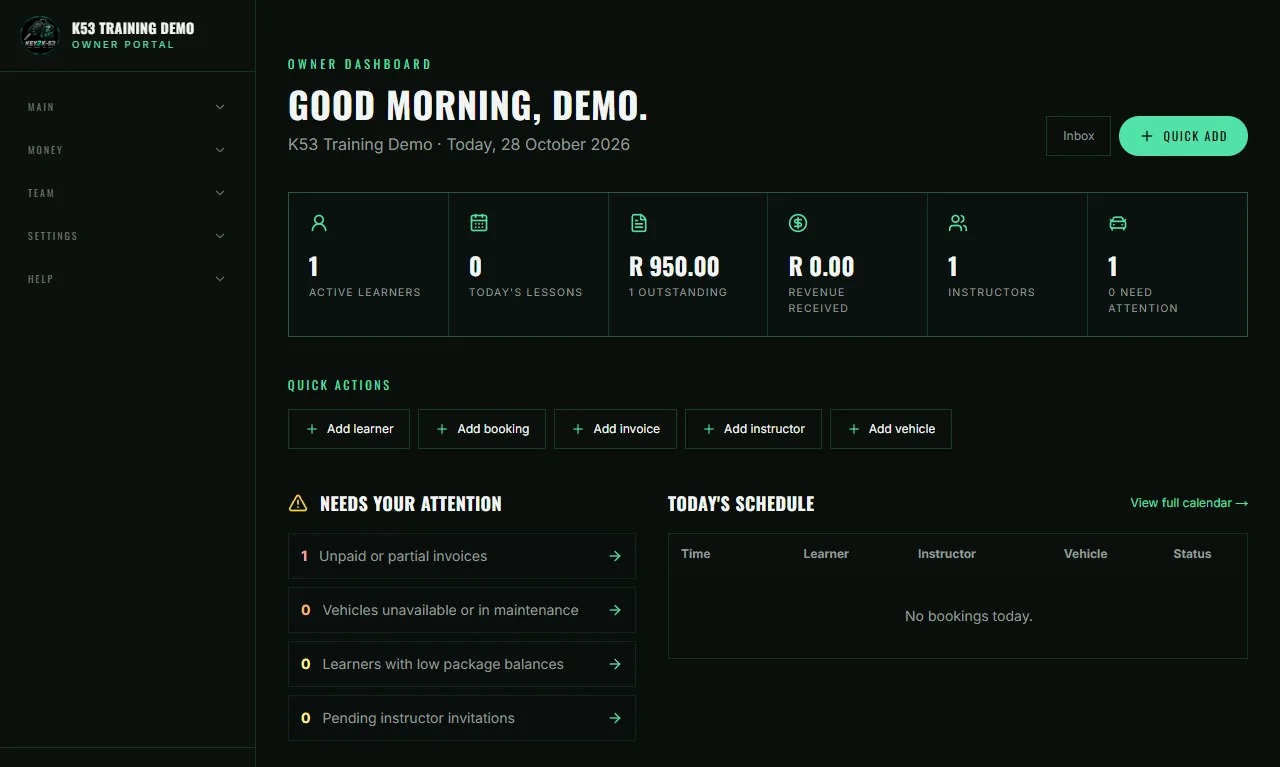
What the owner sees
- Open the dashboard and see today’s lessons, money received and who still owes you.
- Get a short list of what needs your attention.
- Add a learner, booking or invoice in one click.
- Download reports for Excel at month end.
Built for South African driving schools
Bookings, quotes and invoices, payments, K53 progress and tests, vehicles and reports in one system, with a simple portal for your instructors and learners.
No card needed to sign up. Learners are always free.
From sign-up to test day, in three simple steps.
Three portals. Each person sees only what they need.
Owner
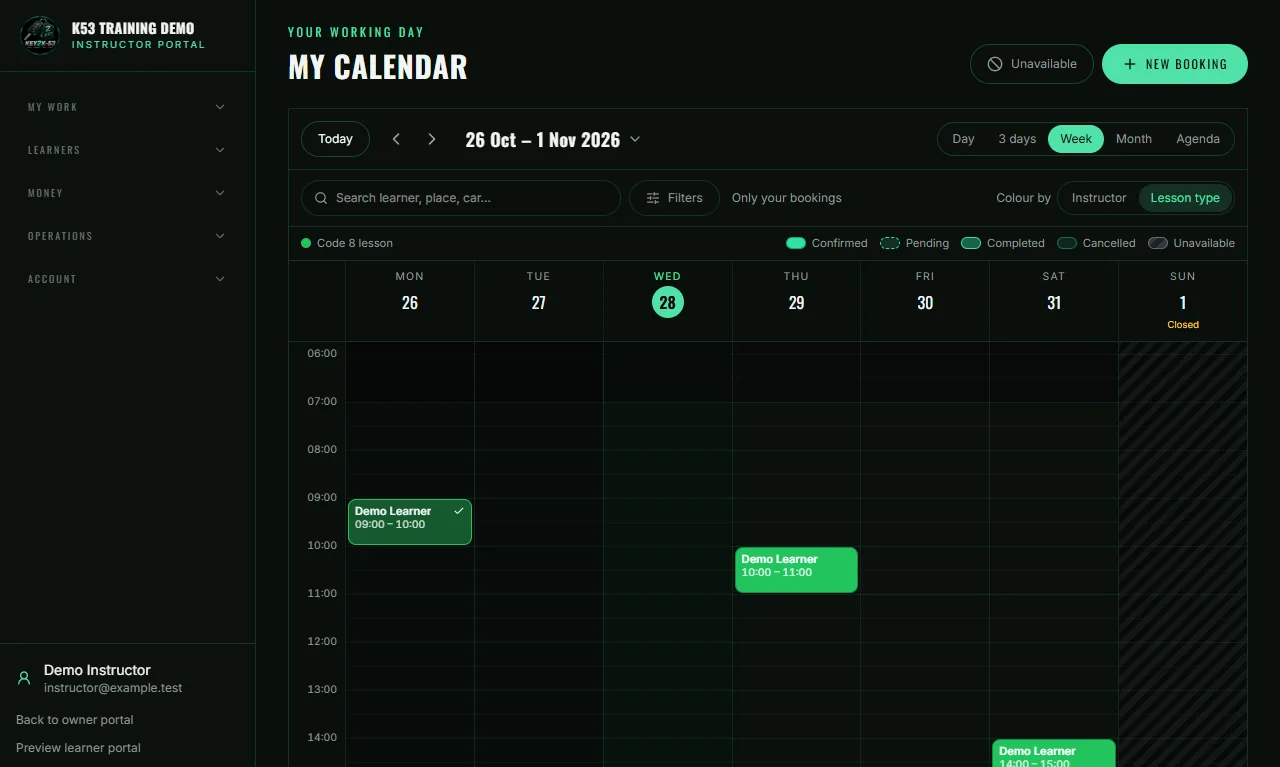
Instructor
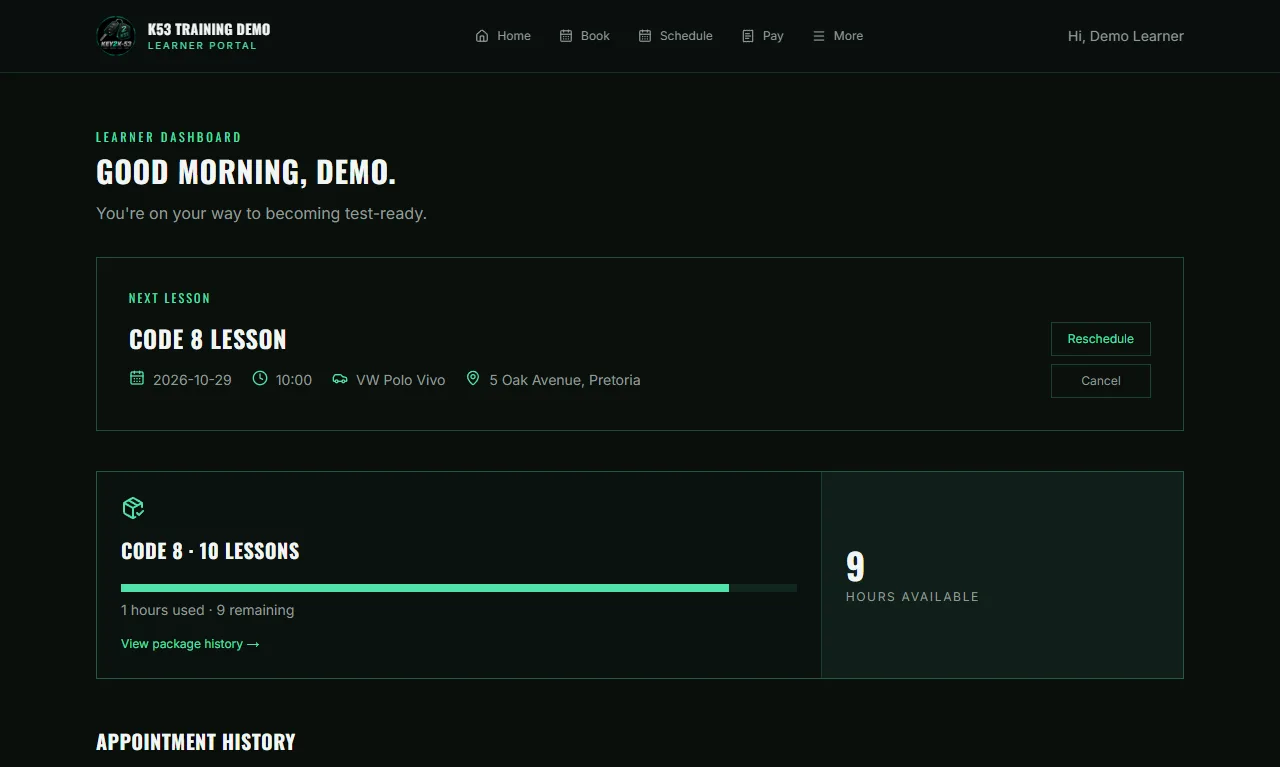
Learner
Screenshots from our demo school. All names and details are made up.
Everything your team needs, connected around each learner.
Owner, instructor and learner each get their own simple portal. Instructors see only their learners; learners see only themselves.
One calendar for every instructor and vehicle, clash checks, recurring lessons, working hours, SA public holidays, learner self-booking and a waiting list.
Learners pick from your price list (or their instructor’s prices), get a quote, accept it, receive an invoice and pay. Paid packages add lesson hours automatically.
Skill-by-skill K53 checklist, printable progress reports, mock tests, learner’s and driver’s test bookings, results and pass rates.
Mileage, trip and fuel logs, service, licence-disc and insurance dates, and which instructor uses which car.
Money received, expenses, cash profit, who owes you, instructor split and utilisation — download any table for Excel.
Made for how driving schools work here.
Every K53 skill, ticked off lesson by lesson, with printable progress reports.
Record each learner’s and driver’s test with the testing centre, date and booking reference.
Learners pay invoices by card or Instant EFT straight into your own PayFast account.
Lesson, test and payment reminders by WhatsApp, SMS or email (provider fees may apply).
Consent, masked ID numbers, data export and permanent removal when a learner leaves.
Your price list, quotes and invoices in rand, and one simple monthly price for your school.
Every step updates the next one: no copying between calendars, chats, notebooks and spreadsheets.
POPIA consent, two-step sign-in, masked ID numbers, data export and permanent removal when a learner leaves.
Free trial, Excel import, and optional done-for-you setup and training.
Download reports and learner records any time. No lock-in.
Short answers to what schools ask us most.
No. Learners are always free. Your school pays one monthly price based on your active staff: you plus every instructor who uses Key2K53. Plans start at R349 per month for 1–4 people.
Yes. Every new school starts with a free trial. You do not need a card to sign up.
Yes. Learners give POPIA consent, staff can use two-step sign-in, and each school only ever sees its own records. ID numbers are masked and only shown to the owner when needed.
Yes. Download your reports and learner records at any time. There is no lock-in.
Yes. It runs in the web browser on your phone, tablet or computer, so there is nothing to install. Learners get a simple menu at the bottom of the screen, and the owner and instructor screens fit small screens too.
For learners
The K53 Learner Master Class is coming soon. Enrolment and programme payments are not open yet.
For future learning resources: Learner Programme & Master Class - Coming soon.